Guide
AI translation for trade shows: open stages, big screens and phones
Several stages in one hall, an audience that comes and goes, and constant background noise: how to bring every talk into every language with captions on the screens and AI interpretation on phones.
An international trade show doesn’t work like a congress. In an auditorium, the audience arrives on time, sits down and listens to the end; in an exhibition hall, people stop for a few minutes, move on or come back later. Multilingual event translation in that setting has to serve the people walking past, not just those in the seats. Here is what changes and how we handle it with the two parts of Live: Captions on the screens and Speech on phones.
What makes a trade show different?
Four features set it apart:
- Open, simultaneous stages. A main stage, smaller ones and parallel sessions share the hall, often with no walls between them.
- An audience on the move. Many visitors listen for a while between two meetings, or from the aisle: whatever they are offered has to work straight away.
- Noise. The PA, conversations at the stands and the other stages all blend with the speaker’s voice.
- Big screens and phones. Stages usually have an LED wall or auxiliary screens that can be seen from afar, and every visitor carries a phone.
The last two hold the answer: the screen serves those who pass by and look up; the phone, those who stay and want their own language.
How do you integrate captions into a trade show’s LED screens?
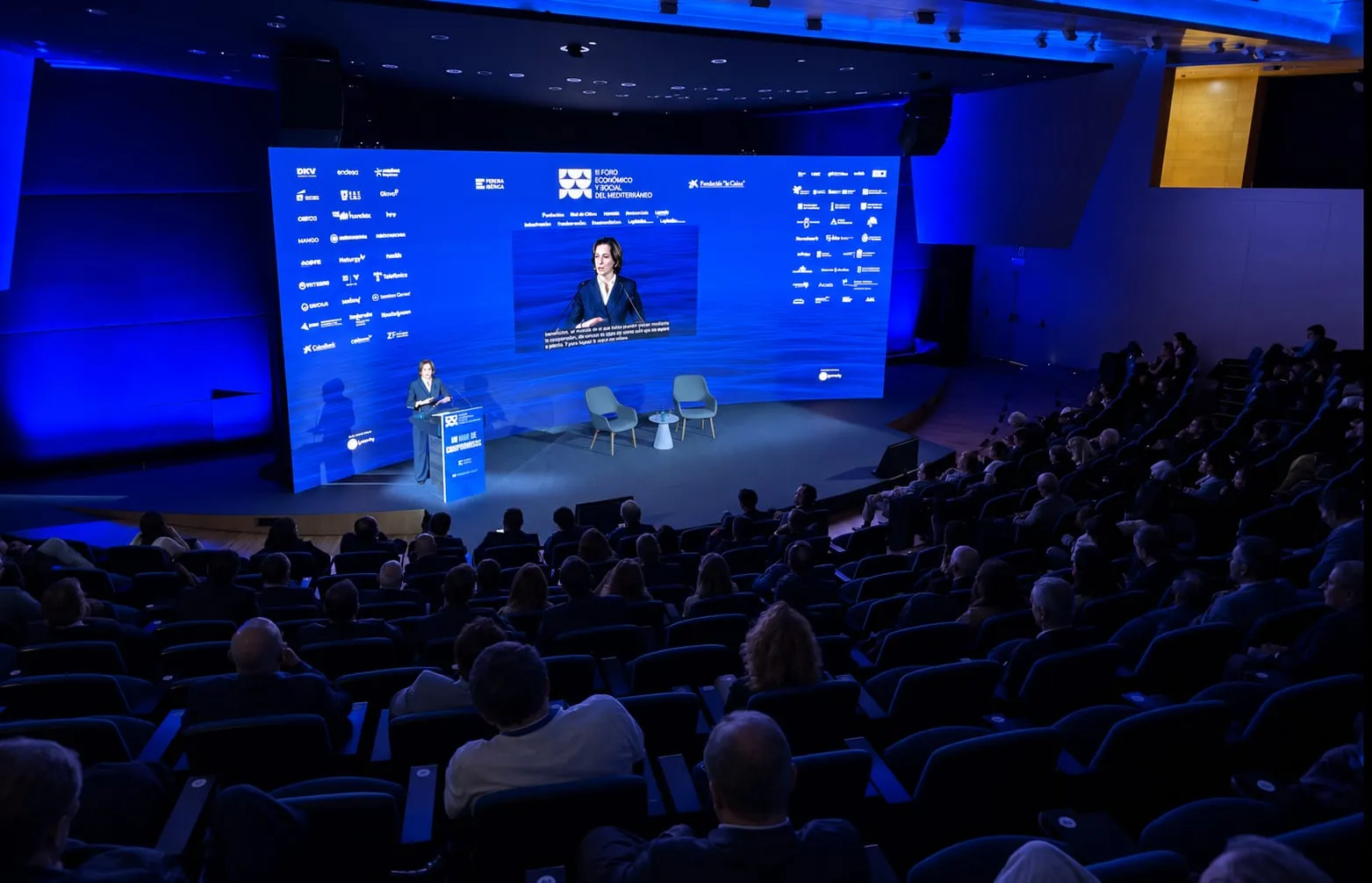
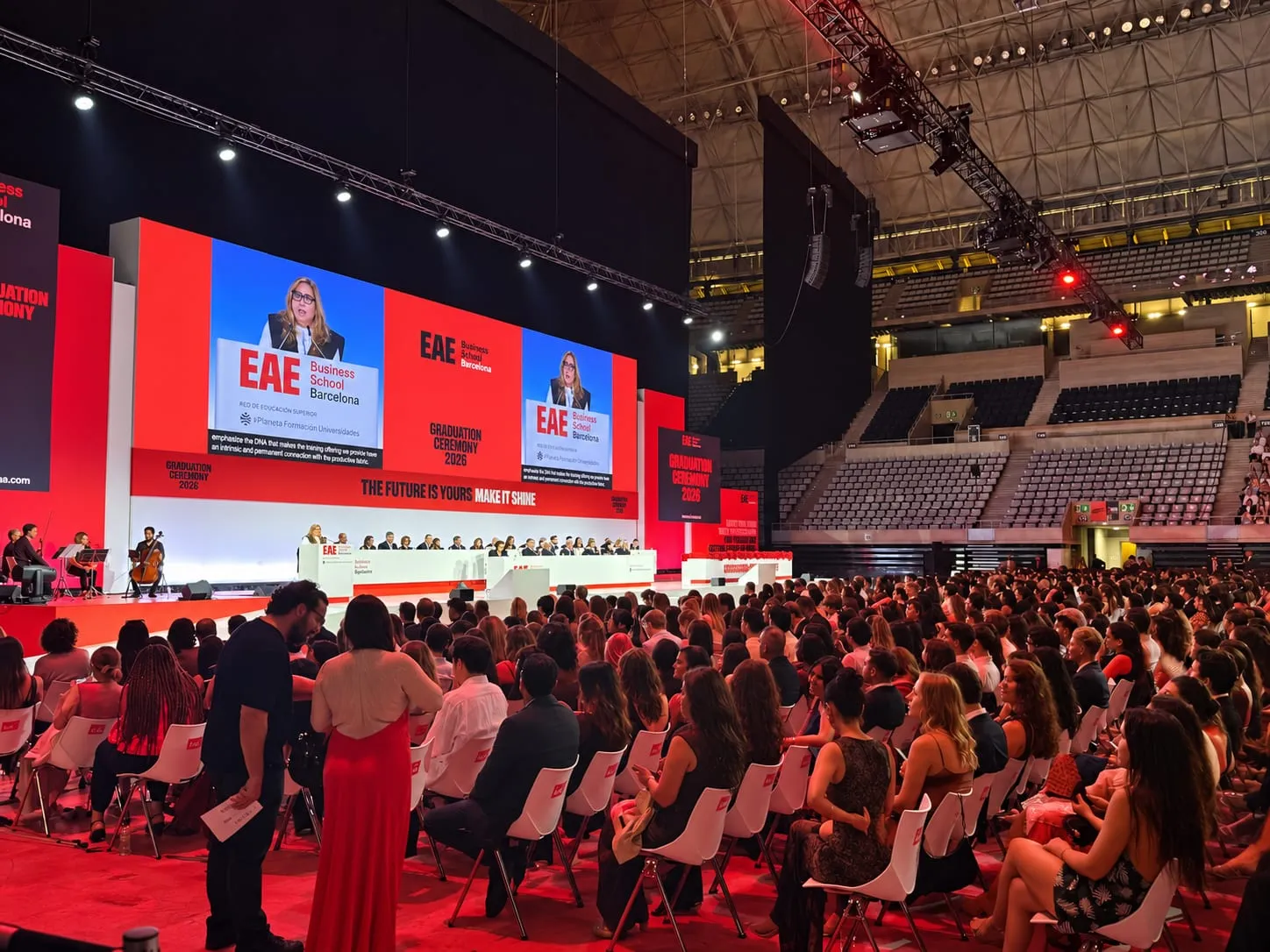
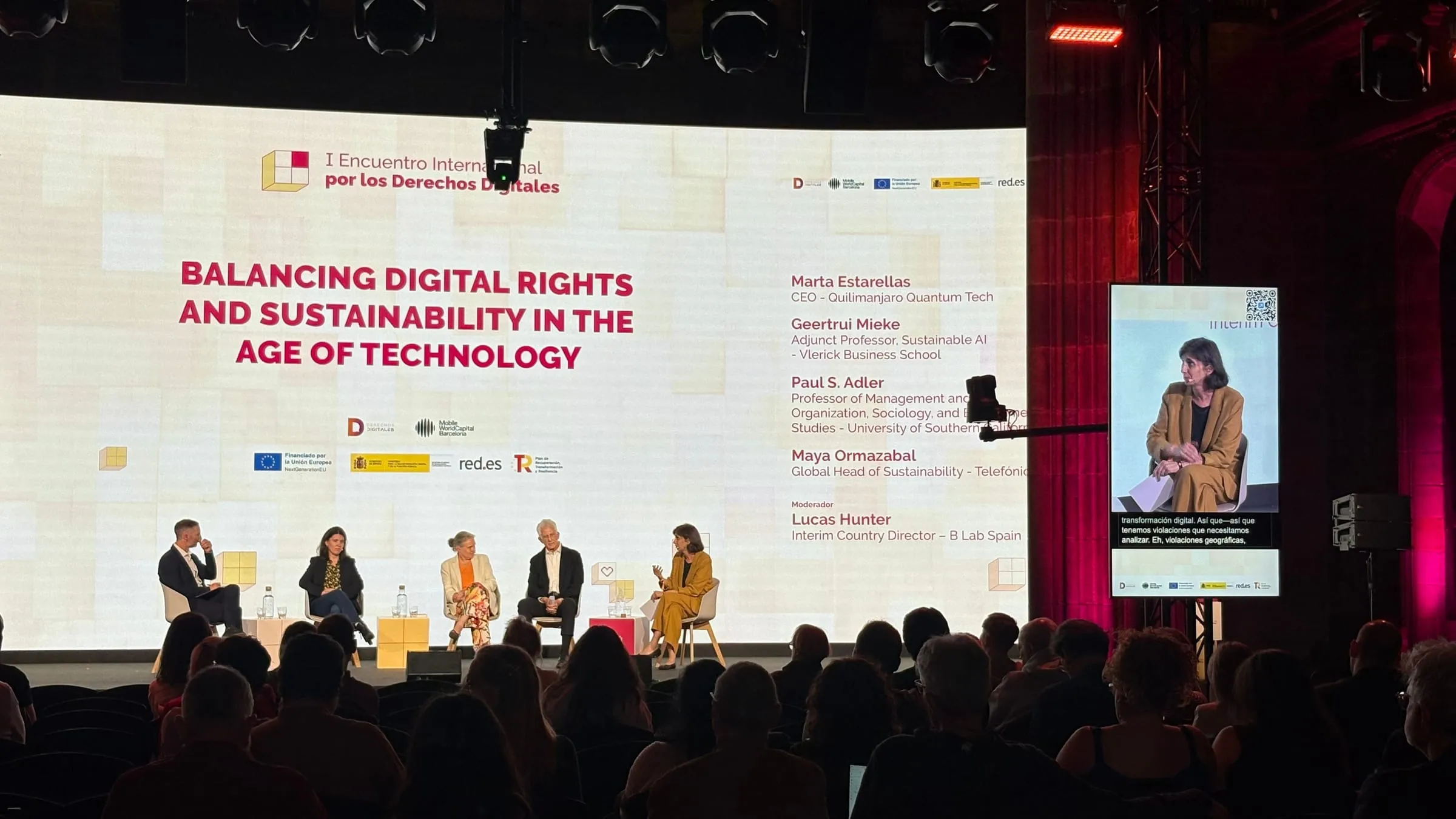
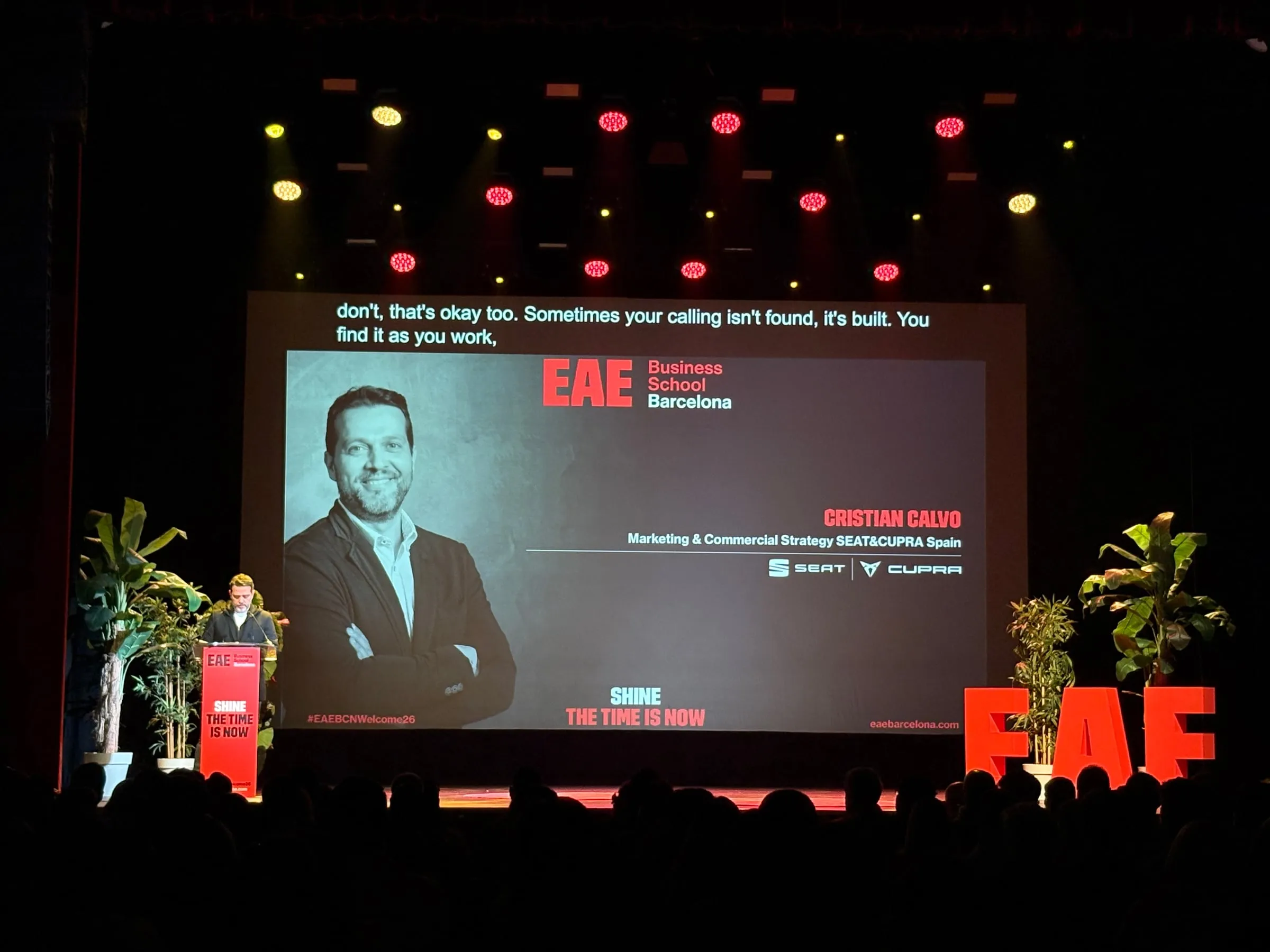
With Captions, what is said on stage appears as live text on the venue’s screens: the LED wall, the auxiliary screens or a strip below the stage. The text takes on the typeface, colours and position of the show’s design, and it can show the speaker’s own language, a translation, or several languages together (four at most), each on its own strip.
In an exhibition hall, live captions on giant screens have one big advantage: they ask nothing of the visitor. Nothing to scan, no earphones to put on: they work even for someone who only stops for a moment. And because they are read, the noise doesn’t drown them out.
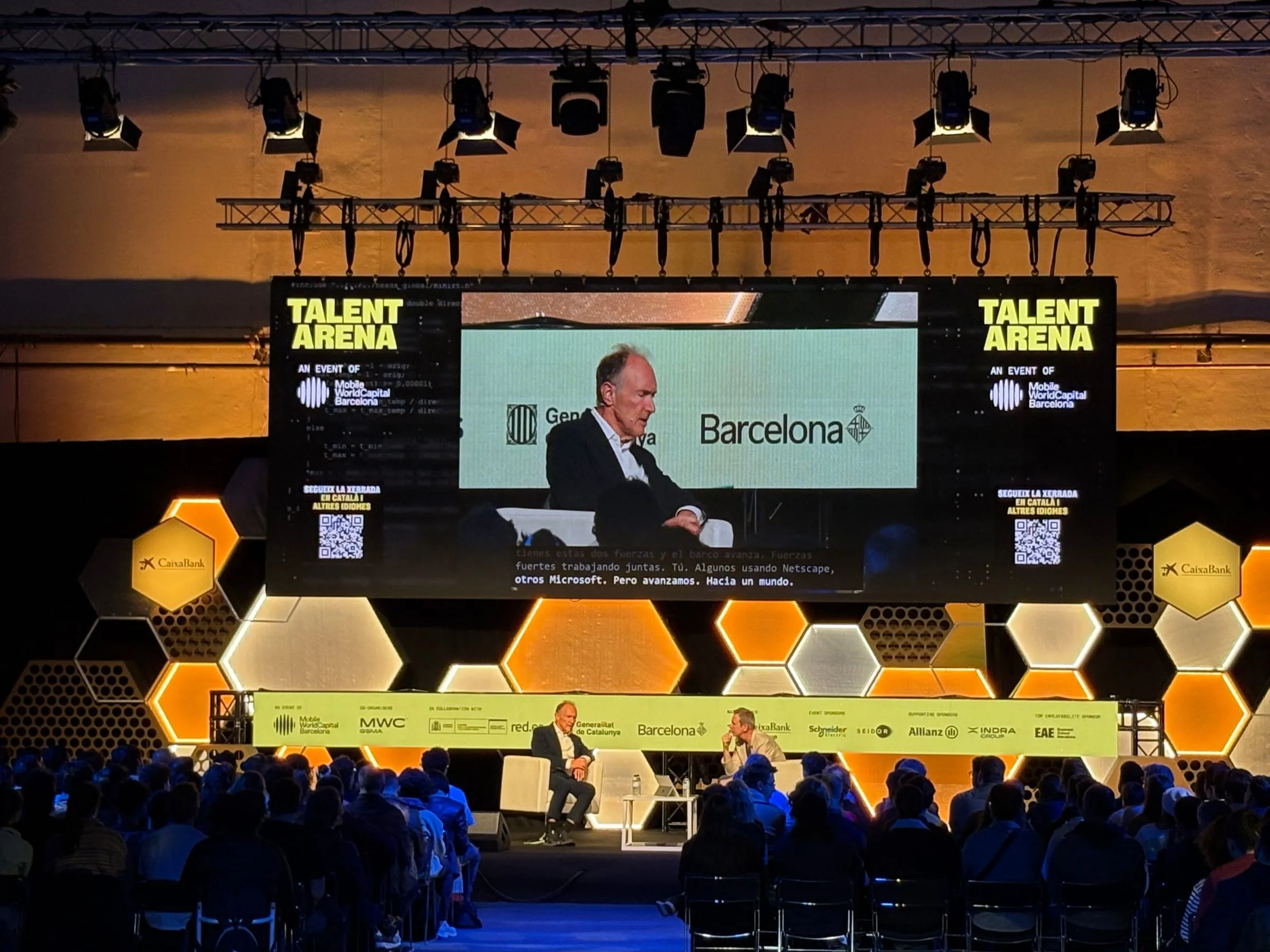
At Talent Arena 2025, at Fira de Barcelona Montjuïc, Captions brought the talks to the venue’s auxiliary screens without installing a single new one or touching the production: it simply connected to the screens that were already switched on.
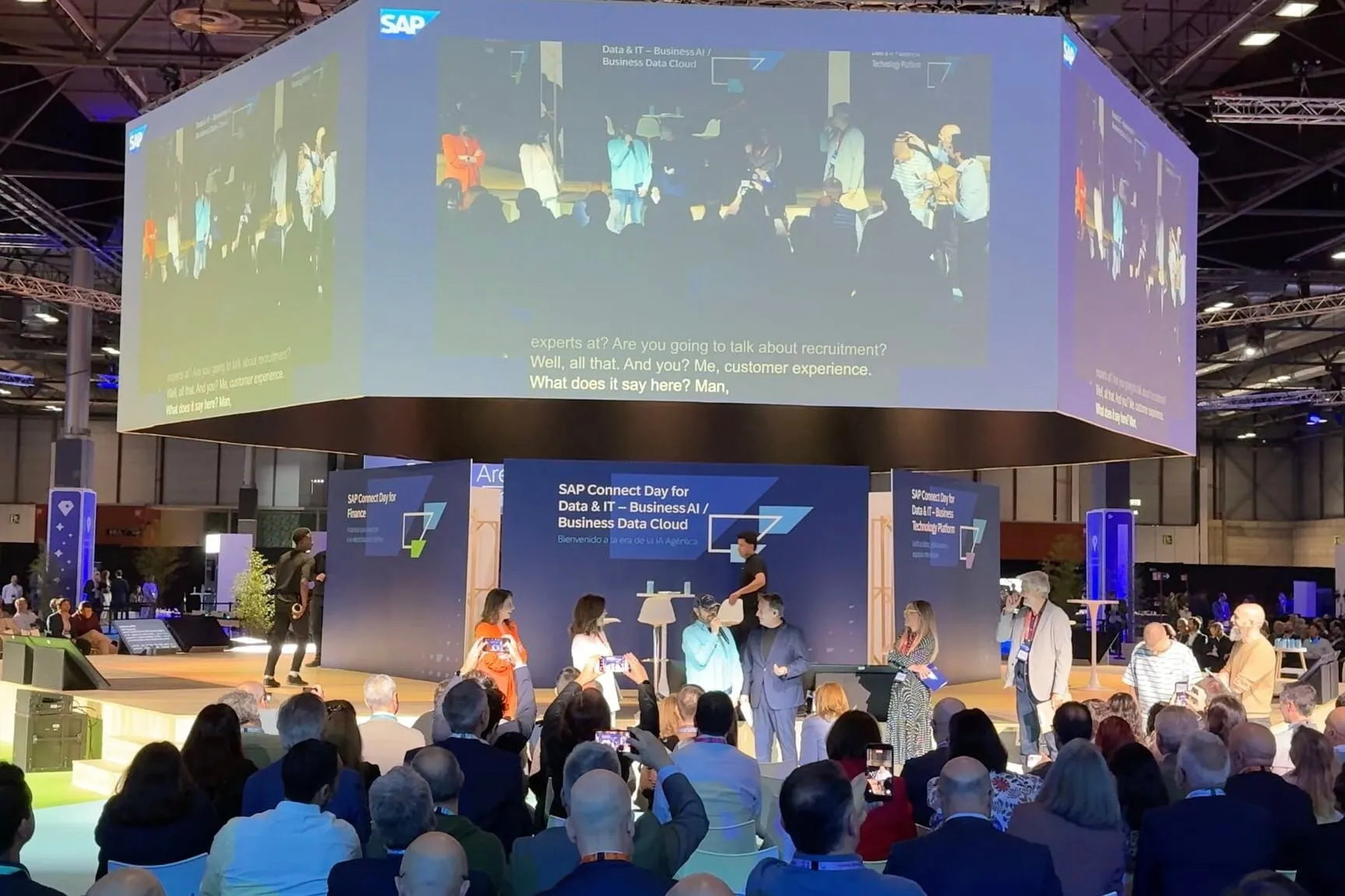
The screen can also preside over the whole hall. At SAP Connect Day Madrid, SAP España arranged seven simultaneous sessions around a central stage at IFEMA, and each attendee followed theirs on headphones. Above that stage hung a giant multi-sided screen, where Captions displayed what was being said, subtitled and translated into English, in sight of the entire hall.
And for visitors who want to follow in their own language?
A shared screen cannot show every language at once. That is what Speech is for: the visitor scans the stage’s QR code and opens the session in the browser on their own phone, with no app to install and no account to create. They pick their language from more than 60 and hear it as AI interpretation through their earphones, read it live, or do both.
The phone also solves two trade show problems. Noise: the translated voice arrives through earphones, right by the ear, without competing with the PA. And coming and going: someone who arrives mid-talk scans and is in with no further steps, and someone who leaves for a meeting can have Insights email them the notes from what they heard.
How do you manage several stages at once?
This is where you need a live multilingual event platform rather than a standalone tool. In Backstage, the trade show is an event and each stage is a room with its own mode, its own languages and its own QR code. So the main stage’s LED wall can show captions while the demo area offers the translated voice on phones, and each code leads only to its own stage.
On the day of the show:
- The whole console goes on a phone: whoever runs it can walk the hall and listen to each stage from the audience.
- A session begins as soon as someone speaks and, once the stage falls silent, pauses after a countdown: nobody has to watch the gaps between talks.
- Crosscheck tests the connection, latency and microphone with twenty minutes to spare, and if a screen stops receiving text, a watchdog reconnects it by itself.
At Tech Spirit Barcelona 2025, with two stages at the Llotja de Mar and sessions in three languages, Captions added the Spanish text to the auxiliary screens in the hall.
Captions, Speech or both?
Each stage calls for its own approach:
- Captions if the audience is standing or passing by, the screen is visible from the aisle and a few languages are enough.
- Speech if people sit down and stay for the whole talk, if more than four languages are needed, or if visitors would rather listen.
- Both if the stage draws a very international crowd: the screen serves those watching from a distance, and the phone serves those who want their own language.
We did exactly that at Talent Arena 2026, as the cover photo shows. The stage screen carried the talks captioned and translated, such as an interview in English that could be read in Spanish, and on either side a QR code invited people to follow along in Catalan and other languages, listening or reading on their phones. We also picked that edition to unveil the new version of Link3rs.
Does it work for corporate events too?
Many companies hold their own event at a trade fair venue, as SAP did at IFEMA. AI translation for corporate events follows the same logic, with two details of its own:
- In-house vocabulary. Product names, internal acronyms and job titles are loaded in advance into Knowledge, from the run of show or the slides, and come out spelled correctly on screen and on phones.
- Broadcast. If the stage is streamed, the captions go into vMix or OBS through a URL, and a single line of code is enough to show them in the player on the corporate website.
What should you prepare before the show?
A few weeks ahead, go over these points with your technical team (or ours):
- The floor plan: which stages there are, which screens each one has and which can be seen from the aisles.
- The languages for each stage, based on the audience you expect there.
- One QR code per stage, on the screen between talks, on a sign at the foot of the stage and in the programme.
- The names of speakers, exhibitors and sponsors, exactly as they should appear.
- A test during the build-up, with the real noise from the stands, run by whoever will operate the console on the day: your team, your AV partner or ours.
Read next: AI translation for conferences: how it works with Link3rs and Simultaneous interpretation without booths or receivers: what the room really needs.
There are more formats in Speech or Captions: how to choose for each room at your event, and more on screens in Live captions for events: screens, languages and readability. And if you already have the floor plan for your hall, tell us about your trade show and we’ll prepare a proposal for each stage.